3 min to read
TryHackMe - TShark Challenge I: Teamwork - Write-Up
Put your TShark skills into practice and analyse some network traffic.

The TryHackMe room TShark Challenge I: Teamwork can be found here.
An alert has been triggered: ”The threat research team discovered a suspicious domain that could be a potential threat to the organisation.”
Today we’re looking at some malicous traffic with TShark.
Investigate the contacted domains.
Investigate the domains by using VirusTotal.
According to VirusTotal, there is a domain marked as malicious/suspicious.
Let’s get started!
What is the full URL of the malicious/suspicious domain address?
Enter your answer in defanged format.
We can begin by taking a look at the provided teamwork.pcap file with TShark.
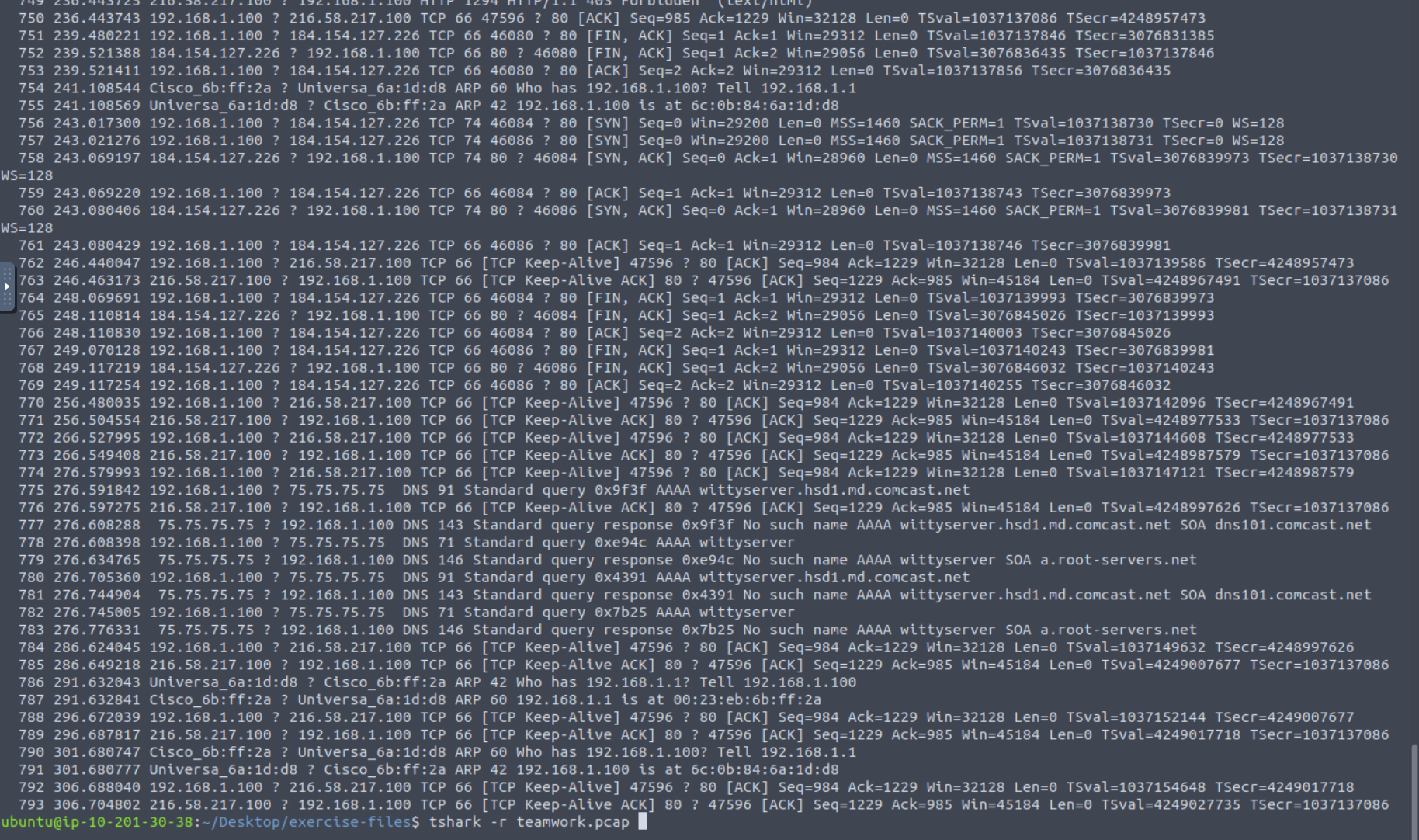
A simple tshark -r teamwork.pcap pours the contents out for us, but as there are almost 800 packets in this capture, it’s better if we can use some of TShark’s filters to find what we’re seeking.
For a more refined search, we can use tshark -r teamwork.pcap -T fields -e http.request.full_uri | awk NF | sort -r | uniq -c | sort -r. This command breaks down as follows:
tshark -r teamwork.pcap- Our base command, reading theteamwork.pcapfile-T fields -e http.request.full_uri- This creates tells TShark to only display certain fields from the packets, in this casehttp.request.full_uriin order to get a list of the URLsawk NF- Built-in Linux tool removing empty linessort -r- Built-in Linux tool to sort the items in reverse orderuniq -c- Built-in Linux tool to count number of unique itemssort -r- Sorted again to put in order of highest count to lowest
Running this command gets us to our answer. What domain appears over and over again here?
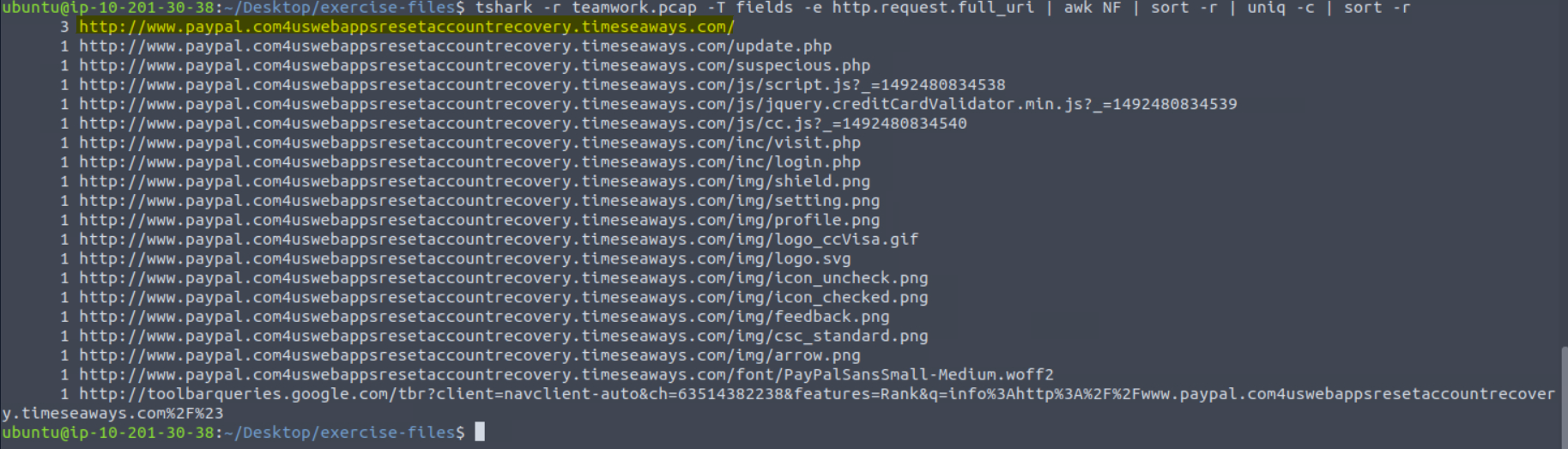
We can then use CyberChef to defang.
Answer: hxxp[://]www[.]paypal[.]com4uswebappsresetaccountrecovery[.]timeseaways[.]com/
When was the URL of the malicious/suspicious domain address first submitted to VirusTotal?
The answer to this question is easily found by looking up the found domain in VirusTotal. The answer is in the Details tab.
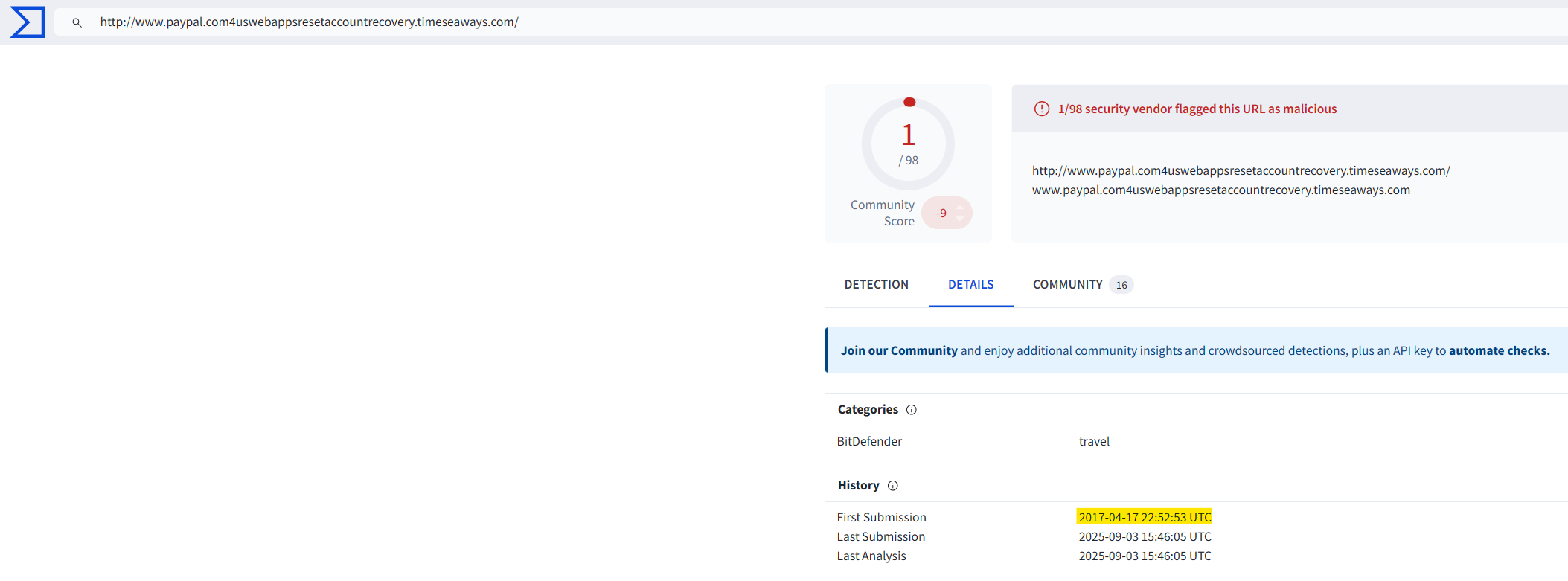
Answer: 2017-04-17 22:52:53 UTC
Which known service was the domain trying to impersonate?
The answer is clear by looking at the domain.

Answer: PayPal
What is the IP address of the malicious domain?
Enter your answer in defanged format.
We can modify our existing query by adding -e ip.dst and drop the second sort -r to bring up the IP addresses for all previously found domains. The command looks like this tshark -r teamwork.pcap -T fields -e http.request.full_uri -e ip.dst | awk NF | sort -r | uniq -c.
All the “PayPal” domains point to the same IP address.

CyberChef can defang for us.
Answer: 184[.]154[.]127[.]226
What is the email address that was used?
Enter your answer in defanged format. (format: aaa[at]bbb[.]ccc)
This one was a little tough.
Here is the exact command I ended up using: tshark -r teamwork.pcap -V | grep -Eo '[a-zA-Z0-9._%+-]+@[a-zA-Z0-9.-]+.[a-zA-Z]{2,}'
Essentially the solution I found was to output the entire file and use grep to search for strings that match an email pattern: *something*@*something*.*something*.
This brought up several matches, only one of which was a valid email.
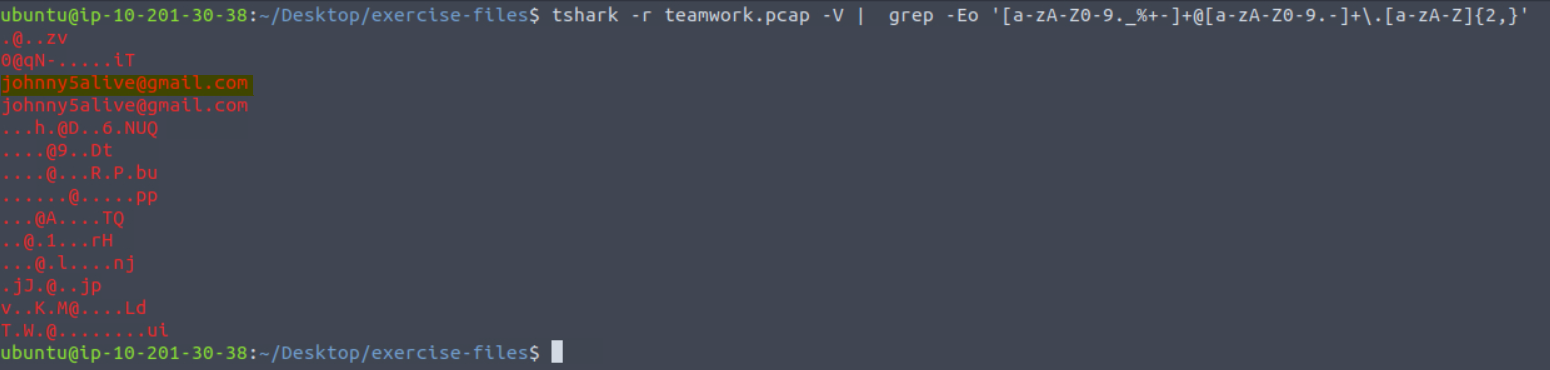
I then defanged the email as requested, replacing “@” with “at”.
Answer: johnny5alive[at]gmail[.]com
Congratulations! You have finished the first challenge room, but there is one more ticket before calling it out a day!
Part II of this room can be found at the below link: